Micro File Manager
A lightweight, single-file PHP web file manager. Drop one file on any server and instantly get a full-featured file management UI in your browser.


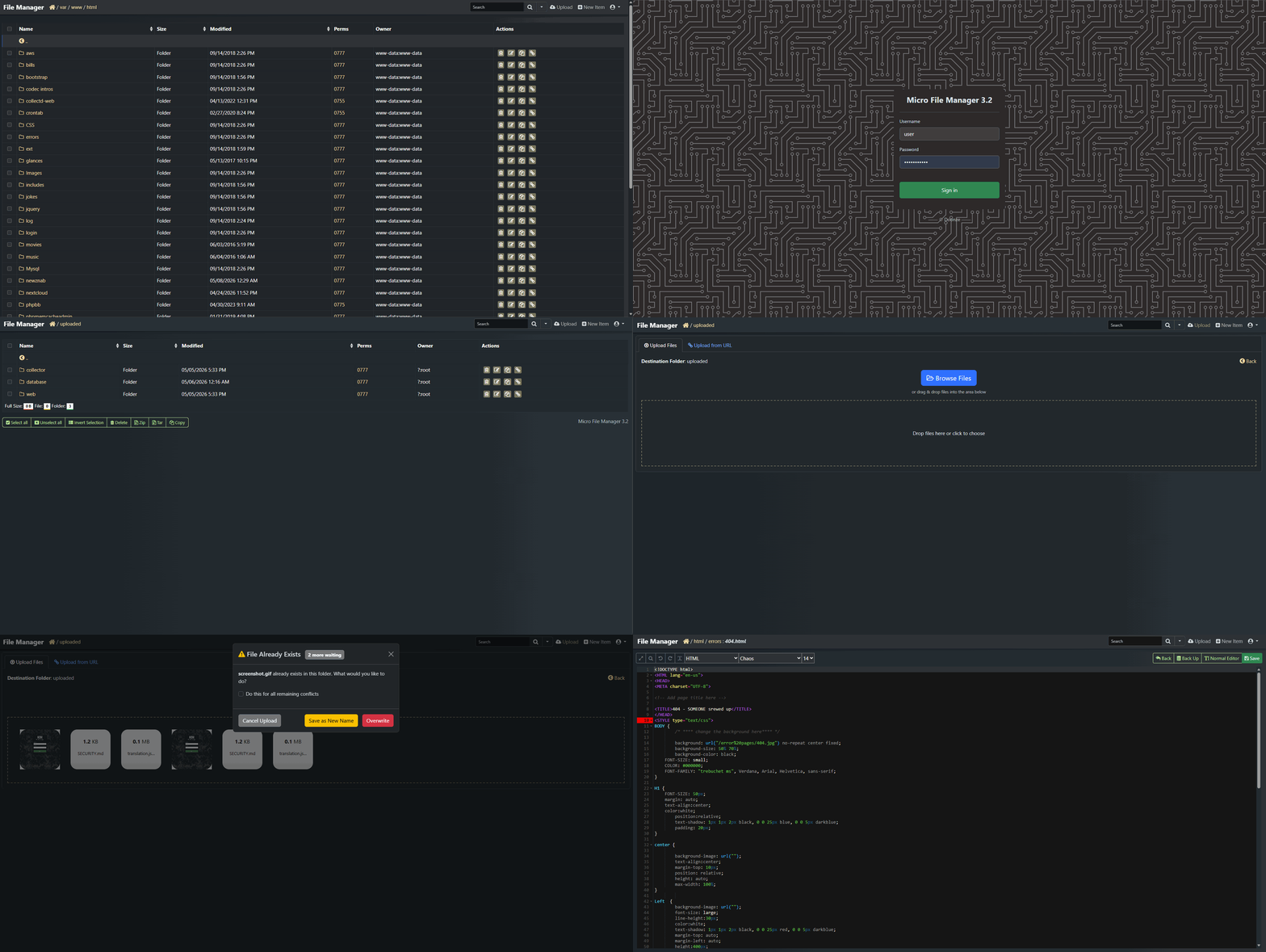
See It In Action
Features
Single-file deploy
Drop one PHP file on any server. No install, no composer, no dependencies.
Drop one PHP file on any server. No install, no composer, no dependencies.
ACE code editor
Syntax highlighting for 150+ languages, 35+ themes, with full write-permission awareness.
Syntax highlighting for 150+ languages, 35+ themes, with full write-permission awareness.
Privilege elevation
Edit root-owned system files via the optional mfm-elevate Python daemon. No sudo for www-data needed.
Edit root-owned system files via the optional mfm-elevate Python daemon. No sudo for www-data needed.
Security built-in
Brute-force protection, security headers, session fixation prevention, IP allow/block lists.
Brute-force protection, security headers, session fixation prevention, IP allow/block lists.
Smart uploads
Drag-and-drop with conflict resolution queue — overwrite, rename, or cancel per file.
Drag-and-drop with conflict resolution queue — overwrite, rename, or cancel per file.
External config
All settings in
All settings in
config.php — survives upgrades. Drop in a new MFM, your config is untouched.Quick Install
# Download the latest release
wget https://github.com/doonze/microfilemanager/releases/latest/download/microfilemanager.php
# Drop it in your web root and open it in your browser
Optionally copy config.example.php to config.php and set your users and preferences there.
Tools
Need to generate a password hash for a user? Two ways to do it:
From inside MFM
Already logged in? Go to Settings and click Password Hash Generator in the sidebar — it opens the tool in a new tab. Or use the built-in quick generator right there on the settings page.